
Paper-feel screen protectors: what they change and what they cost you
Matte films make a tablet feel more like paper, but they wear nibs, soften the picture and fight with glare. Here is the full trade, and how to fit one.
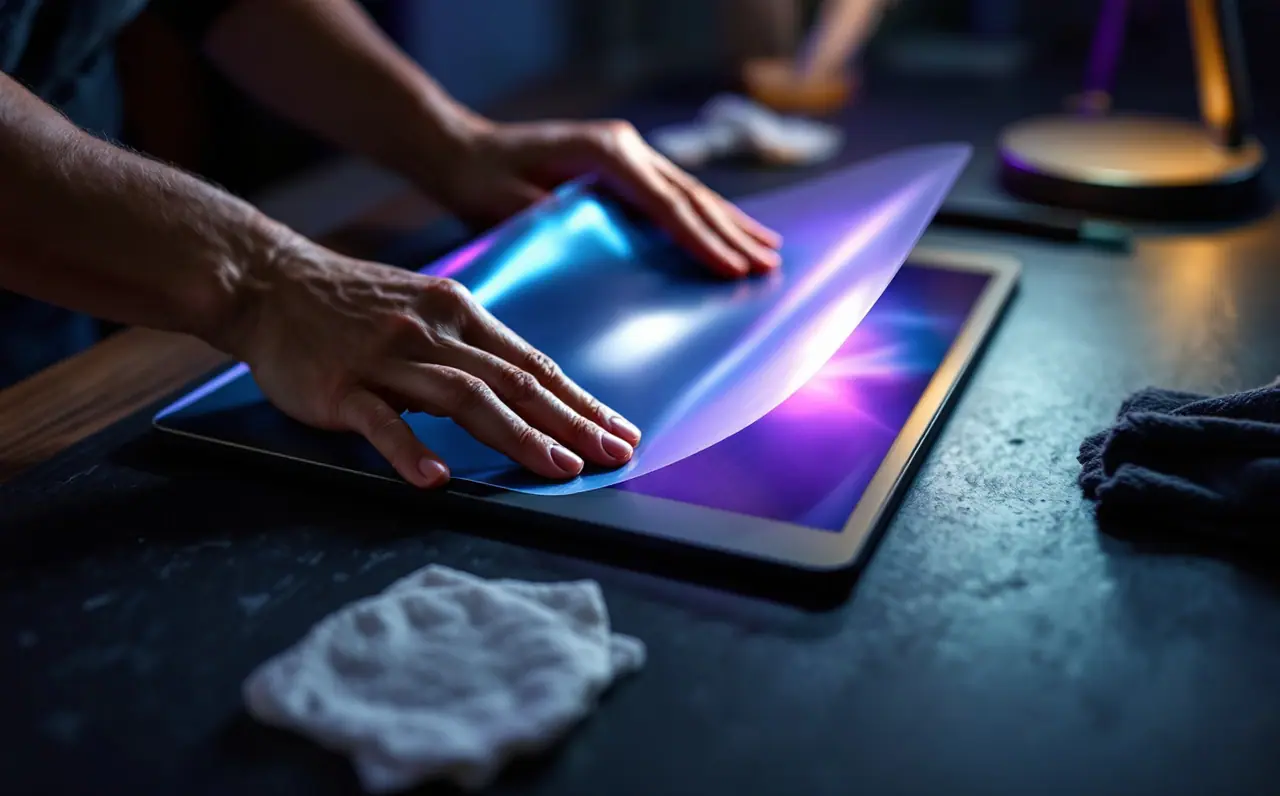
Glass is a strange thing to draw on. The first week with a stylus on a bare tablet, my lines kept skating past where I meant them to stop, and every hatch mark landed a little long. Then a friend let me try her iPad, which had a matte film on it, and the pencil suddenly had something to push against. It felt like drawing on a smooth sheet of cartridge paper. I fitted one that weekend.
That was not the end of the story, though. A paper-feel film changes more than the feel. It changes how the screen looks, how fast your nibs wear down, how the tablet behaves in a sunny cafe, and how easy it is to watch a film on the train home. Some of those changes are lovely. Some of them you only notice after a month. This is the whole ledger, so you can decide with your eyes open.
Macagora note A few links here go to Amazon and to other stores and services, and Macagora can earn a commission when you buy through them. As an Amazon Associate I earn from qualifying purchases.
What a paper-feel film actually is
Most of these protectors are a thin plastic film (usually PET) with a fine, slightly rough surface on top. That texture is what gives the stylus tip some bite. A few makers offer matte glass instead: a tempered glass protector with an etched surface that is smoother than a textured film but less slippery than bare glass. Paperlike is the name most people know, but plenty of brands make films in the same spirit, and they vary a lot in how rough they are.
There are also removable versions. Some clip or attach magnetically and come off when you want the bare screen back. Others use a reusable adhesive layer that can be peeled and refitted a few times. Permanent films stick down once and stay there until you replace them.
The ledger: what you gain and what you give up
| What you gain | What you give up | |
|---|---|---|
| Feel | Friction, control, less skating on fast strokes | Some people find it scratchy, especially with heavy hands |
| Line control | Strokes stop where you mean them to | A bit more effort over long sessions |
| Glare | Matte surface diffuses reflections from windows and lamps | The same diffusion softens the image |
| Display clarity | Hardly anything | Slight haze, sometimes a faint sparkle on white backgrounds |
| Nibs | Nothing | Tips wear faster against a textured surface |
| Fingerprints | Matte hides smudges well | Texture can feel odd for scrolling and typing |
| Protection | A layer between your screen and grit | Thin films offer little impact protection |
Read down the right-hand column before you buy. If any of those would bother you every day, a removable film or a matte glass protector may be the better fit.
The feel, honestly
The friction is the reason to fit one, and it is real. On bare glass, the tip of the pencil glides on almost nothing. On a textured film, it drags slightly, the way a pencil drags on paper. That small resistance does two things. It slows your hand just enough to make short marks more accurate, and it gives you physical feedback, so you can feel the difference between a light touch and a firm one.
For line art, I find the difference is most obvious on small details: closing a loop, landing a short hatch, writing a note in the corner of a sketch. If you followed our piece on clean line art, a film helps with the same thing that stroke smoothing helps with, but from the hand rather than the software.
It is not universal, though. Some artists find a rough film tiring over a long painting session, because every stroke costs a little more effort. Some like the glide of glass and have already tuned their brushes around it. If you have spent time adjusting your brushes (our Procreate brush basics covers that), expect to revisit a few after fitting a film, since the same hand pressure can feel different with more drag.
Clarity and glare: the visual trade
A matte surface scatters light. That is why it reduces glare, and it is also why it softens the picture. These are the same effect seen from two sides.
On a train with the sun coming through the window, the scattering is wonderful. The bright reflection that would sit on top of my painting becomes a dull wash, and I can see the colors underneath. At home in the evening, under a single lamp, I notice the other side: whites look a little milky, fine lines look a touch less crisp, and very small text has a soft halo. Some people also see a faint sparkle, a grainy shimmer that shows most on bright white areas. How much you notice depends on the film, the screen, and your eyes. Rougher films generally mean more haze.
If you care about judging color closely, keep this in mind. The film does not change the colors the screen produces, but haze lifts the darks slightly and lowers contrast, which can make you push values further than you mean to. For final color checks, I look at the painting on another screen too.
Nib wear: the cost nobody mentions at the shop
A textured surface is, in effect, very fine sandpaper. Every stroke takes a tiny amount off the stylus tip. On bare glass, an Apple Pencil tip can last a very long time. On a paper-feel film, it wears noticeably faster, and how much faster depends on the roughness of the film, how hard you press, and how many hours you draw.
Two habits help. First, check your tip now and then. Run a fingertip over it; if it feels flattened or you can see the inside starting to show through, replace it. A badly worn tip can scratch the film or, without a film, the screen itself. Second, keep spare tips in your bag. Replacement tips for the second generation Apple Pencil and other models come in small packs and twist on in seconds. I keep one in the pencil case with my train pass.
Some films also wear in. The surface can get smoother in the spots you draw most, so the feel changes slowly over months. When one corner feels like glass and the rest feels like paper, it is time for a new film.
Removable or permanent
| Removable (magnetic, clip-on or reusable adhesive) | Permanent adhesive | |
|---|---|---|
| Best for | People who also watch, read or edit photos on the tablet | People who mostly draw |
| Feel | Can shift slightly or show a small gap at the edges | Sits flat and stays put |
| Clarity | Bare screen available whenever you want it | Haze is always there |
| Fitting | Easy to put on and take off | One careful fitting |
| Dust | Can trap dust each time you refit | Dust only matters during the first fitting |
I use a permanent film because my iPad is mostly a sketchbook. If your tablet is also your film player and your photo viewer, the removable kind may keep you happier.
A worked example: fitting a film without bubbles or dust
Most frustration with films comes from installation, not from the film. Dust is the enemy. Here is the hinge method, which has saved me more than once.
- Pick a still room. A bathroom after a hot shower is a common trick, because the steam pulls dust out of the air. Turn off fans.
- Wash your hands and clean the screen with the wet wipe that usually comes in the box, then dry it with the microfiber cloth.
- Use the dust-removal stickers (most kits include them) to lift any last specks. Hold the tablet at an angle to a light so dust shows up as bright dots.
- Lay the film on the screen with its backing still on. Line it up with the edges, the camera and any cutouts.
- Put two strips of tape across one long edge of the film and onto the back of the tablet, so the film opens like the cover of a book.
- Flip the film open on its tape hinge, peel the backing off, and lower it slowly from the hinge side, pressing outward with a plastic card wrapped in the cloth.
- Push any bubbles to the nearest edge. Small bubbles that will not move often disappear on their own over a day or two.
If a speck of dust gets trapped, lift that corner with a piece of tape, touch the dust with a sticker, and lower the film again. Be gentle; you get only a few tries before the adhesive picks up lint.
A quick test before you commit
If you are not sure whether you will like a film, here is a five-minute test you can do on a friend's tablet or a shop demo unit with a film already on it. Draw a small spiral, as tight as you can, without lifting. Write a sentence in your normal handwriting at the size of a note in a margin. Hatch a square with short, quick strokes. Then do all three on bare glass.
Compare them. If the film versions are clearly tidier and you liked the drag, a film is probably for you. If they look about the same and the film felt tiring, skip it, or try a matte glass protector, which sits in the middle.
Questions people ask
Does a paper-feel film affect the stylus or touch accuracy?
Normally not in any way you will notice. Films are thin, and tablets are designed to work through a protector. Very thick protectors can occasionally make a pencil feel slightly less precise at the tip, which is one reason most drawing films are thin.
Will it stop my screen from scratching?
It protects against light scratches from grit and keys in a bag. A thin film does very little against drops or pressure on a corner. If you want impact protection, a glass protector or a sturdy case is the better choice.
Can I swap films between tablets?
No. Each film is cut for a particular screen size and camera layout. Check the maker's compatibility list for your exact model before ordering.
Do I need to change my brushes after fitting one?
Often a little. The drag changes how much pressure your hand uses, so a brush that felt perfect on glass may feel heavy. Start with the global pressure curve in your app's preferences rather than editing every brush.
For other kit that makes a mobile setup easier to live with, our drawing desk page gathers the gear we recommend, and Apple's own Apple Pencil support pages explain how to check and replace tips for each model. Whatever you choose, keep a spare nib in the bag. It is the one cost of a film you can plan for.

Yuna Castellan
Yuna paints mostly on an iPad, on trains, at kitchen tables and in cafes. She covers mobile drawing, brushes, screen films and getting a stylus to feel like something you want to hold.
More from the same shelf
Procreate brush basics: the few settings that change everything
StreamLine, taper, pressure, shape and grain: the handful of Procreate brush settings worth learning first, and how to edit a brush without breaking it.
Open the piece →